UK BASED ∙ UK STOCK ∙ ESTABLISHED 2010
2 YEAR WARRANTY ∙ FAST DELIVERY
EXPERT TECHNICAL SUPPORT
09-FEB UGOOS AM6B+ BACK IN STOCK   30-JAN ZIDOO 8K FIRMWARE UPDATE 1.3.05   5-JAN ARYLIC LP10 ADDS QOBUZ CONNECT  
This forum was closed in October 2025 in response to sustained DDOS type attacks. It has been left up read-only to allow access to support information and downloads. Thanks to all the users who contributed over the years.

Visit futeko.com for new Audio and Video Media Players!

Author Topic: New Official (?) 2.1.6 Firmwares + some new patch  (Read 52787 times)

snap

  • Newbie
  • *
  • Posts: 31
Re: New Official (?) 2.1.5 Firmwares + some new patch
« Reply #30 on: July 27, 2020, 04:10:45 PM »
I formatted in fat 32 like I always do, but what I do not understand also is, after I d/l the file I rename to update.zip and then extract to the usb, or I extract the original file to usb and then rename the file to update.zip ? I dont think but to be sure ?

stl

  • Senior Member
  • ***
  • Posts: 649
Re: New Official (?) 2.1.5 Firmwares + some new patch
« Reply #31 on: July 27, 2020, 04:18:18 PM »
I formatted in fat 32 like I always do, but what I do not understand also is, after I d/l the file I rename to update.zip and then extract to the usb, or I extract the original file to usb and then rename the file to update.zip ? I dont think but to be sure ?

Don't extract it! Download it and edit the name leaving only update

snap

  • Newbie
  • *
  • Posts: 31
Re: New Official (?) 2.1.5 Firmwares + some new patch
« Reply #32 on: July 27, 2020, 04:42:27 PM »
@stl, update.zip you mean or only update ?

stl

  • Senior Member
  • ***
  • Posts: 649
Re: New Official (?) 2.1.5 Firmwares + some new patch
« Reply #33 on: July 27, 2020, 06:23:25 PM »
@stl, update.zip you mean or only update ?

If you see .zip at the end of the file leave it. If you don't see it don't add it because windows might be hiding the extension

DMD

  • Senior Member
  • ***
  • Posts: 310
Re: New Official (?) 2.1.5 Firmwares + some new patch
« Reply #34 on: July 27, 2020, 07:56:13 PM »
The update procedure is the same that is performed for official firmware, generally I have always used the paperclip method.
Method also recommended by Futeko, I think it's the clean system to upgrade.
Obviously the compressed file must be renamed "update.zip"
How to update
« Last Edit: July 27, 2020, 08:10:46 PM by DMD »

stl

  • Senior Member
  • ***
  • Posts: 649
Re: New Official (?) 2.1.5 Firmwares + some new patch
« Reply #35 on: July 27, 2020, 08:11:42 PM »
The update procedure is the same that is performed for official firmware

Actually it isn't, with the official firmware we had to extract the file instead of renaming.

DMD

  • Senior Member
  • ***
  • Posts: 310
Re: New Official (?) 2.1.5 Firmwares + some new patch
« Reply #36 on: July 27, 2020, 08:16:21 PM »
The only difference is to rename the file, as is also the case for custom firmware.
The rest of the procedure doesn't change.

DMD

  • Senior Member
  • ***
  • Posts: 310
Re: New Official (?) 2.1.5 Firmwares + some new patch
« Reply #37 on: July 27, 2020, 11:54:38 PM »
Good evening.
I ask for a clarification on the procedure.

1- Install firmware Update Q10Pro HMD-2 1 6 2020-07-13 172553
2- update googleplay netflix disney hulu prime video spotify smartYoutube-20200707
3- update_googleplay_patch_try_fixed_for_OFW_v2.1.6

 It's correct?
thank you

stl

  • Senior Member
  • ***
  • Posts: 649
Re: New Official (?) 2.1.5 Firmwares + some new patch
« Reply #38 on: July 28, 2020, 06:09:16 AM »
Good evening.
I ask for a clarification on the procedure.

1- Install firmware Update Q10Pro HMD-2 1 6 2020-07-13 172553
2- update googleplay netflix disney hulu prime video spotify smartYoutube-20200707
3- update_googleplay_patch_try_fixed_for_OFW_v2.1.6

 It's correct?
thank you

Skip step 2, step 3 is a patched patch.

snap

  • Newbie
  • *
  • Posts: 31
Re: New Official (?) 2.1.5 Firmwares + some new patch
« Reply #39 on: July 28, 2020, 06:38:13 AM »
Ok thanks, I'll try that, but I will be for in the weekend.

DMD

  • Senior Member
  • ***
  • Posts: 310
Re: New Official (?) 2.1.5 Firmwares + some new patch
« Reply #40 on: July 28, 2020, 07:48:08 AM »
Good evening.
I ask for a clarification on the procedure.

1- Install firmware Update Q10Pro HMD-2 1 6 2020-07-13 172553
2- update googleplay netflix disney hulu prime video spotify smartYoutube-20200707
3- update_googleplay_patch_try_fixed_for_OFW_v2.1.6

 It's correct?
thank you

Skip step 2, step 3 is a patched patch.
Does this procedure apply to both Q10Pro and Q5Pro?
thank you very much
« Last Edit: July 28, 2020, 07:57:35 AM by DMD »

snap

  • Newbie
  • *
  • Posts: 31
Re: New Official (?) 2.1.5 Firmwares + some new patch
« Reply #41 on: July 28, 2020, 08:29:07 AM »
1. Extract update.zip (using an unzip program like 7zip, winzip etc) from HIMEDIA_Q10_PRO_DOWNGRADE_FROM_ANDROID_7_TO_ANDROID_5.1.zip to the root of a FAT32 formatted USB pen drive. (the USB pen drive should contain a single file called 'update.zip').

When I extract the file to an usb stick I receice an error, is this normal ?

kodiloaded

  • Senior Member
  • ***
  • Posts: 158
  • It's not good to step in dogshit !
Re: New Official (?) 2.1.5 Firmwares + some new patch
« Reply #42 on: July 28, 2020, 09:47:55 AM »
My god what part of this is so difficult for all of you, DO NOT Extract THE FIRMWARE

Download the FW  update_Q10Pro_HMD-2.1.6 2020-07-13.172553.zip

Rename the file to update.zip, Copy update.zip to formatted USB Drive


DMD

  • Senior Member
  • ***
  • Posts: 310
Re: New Official (?) 2.1.5 Firmwares + some new patch
« Reply #43 on: July 28, 2020, 02:27:13 PM »
HiMedia Q5/Q10 Pro
How to perform firmware update 2.1.6


Once the firmware is downloaded from the from the PCristi server
Patch Google by pcristi (thank you): update_googleplay_patch_try_fixed_for_OFW_v2.1.6


You need to rename it to "update.zip"
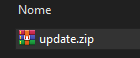


If the ".zip" extension does not appear, you must activate the display of file extensions.
Control Panel> File Explorer Options> View
uncheck "Hide extensions for known file types"


1. Only the “update.zip” file must be copied to a USB stick formatted in FAT 32, and must only contain this file.

2. If you are using Kodi, make a backup.

3. Remove the power plug for 20 sec and then reinsert it, and always recommended when doing these operations.

4. Insert the stick in any of the USB ports, disconnect any other devices connected to the other ports.

5. Press the reset button with the tip of a paper clip.

6. Holding down the reset button without releasing, turn on the HiMedia.

7. Only release the reset button when the Android logo starts, and the progress bar should also appear.

8.Wait for the system to reboot automatically when the update has finished.

9. If the old firmware still appears after the restart, repeat the operation 3 or 4 times for success.


p.s. The procedure for the official firmware of Futeko had to be decompressed, because inside it is contained the text file "readme.txt" together with the file "update.zip"
« Last Edit: August 28, 2020, 08:47:42 AM by DMD »

kodiloaded

  • Senior Member
  • ***
  • Posts: 158
  • It's not good to step in dogshit !
Re: New Official (?) 2.1.5 Firmwares + some new patch
« Reply #44 on: July 29, 2020, 12:34:53 PM »
For location try to set for Google Play services permission to use location. By default is now off.

I tried that but still does not work, Thats why I am using the Fake Location app


DELIVERY ∙ PAYMENT ∙ WARRANTY+RETURNS ∙ INTERNATIONAL TAX ∙ ABOUT ∙ PRIVACY ∙ NEWS ∙ CONTACT
© SDHDIGITAL LTD 2026
SITEMAP

