UK BASED ∙ UK STOCK ∙ ESTABLISHED 2010
2 YEAR WARRANTY ∙ FAST DELIVERY
EXPERT TECHNICAL SUPPORT
FUTEKO.COM - DIGITAL MEDIA PLAYER SPECIALISTS SINCE 2010
03-AUG WE ARE CLOSED 7-AUG TO 21-AUG   27-JUL INTRODUCING UGOOS SK4 PRO   13-JUL EASY INSTALL COREELEC WITHOUT USING ADB   18-JUN R_VOLUTION FIRMWARE UPDATE 260615_2224_r24  
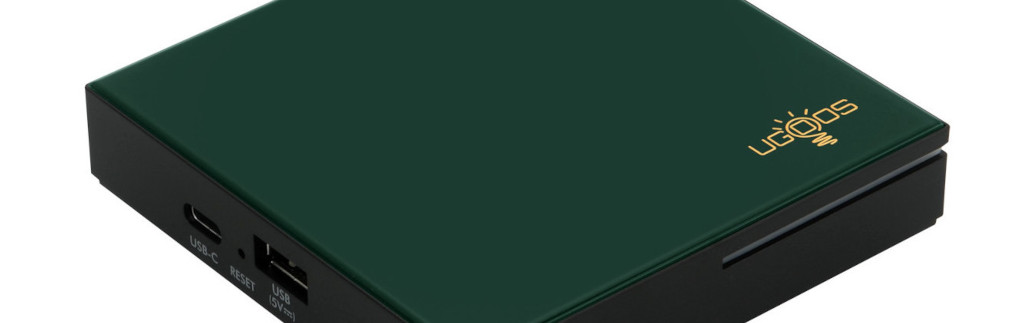
Ugoos SK4 Pro
4K Android Media Player with 4GB RAM. CoreELEC Dolby Vision FEL compatible.
  INCLUDES EXPRESS 2-4 DAY DELIVERY 
This forum was closed in October 2025 in response to sustained DDOS type attacks. It has been left up read-only to allow access to support information and downloads. Thanks to all the users who contributed over the years.

Visit futeko.com for new Audio and Video Media Players!

Author Topic: Q5/Q10 Pro Games Compatibility  (Read 17580 times)

futeko.com

  • Administrator
  • Senior Member
  • *****
  • Posts: 4657
Q5/Q10 Pro Games Compatibility
« on: May 27, 2016, 09:55:18 AM »
Q5/Q10 Pro is compatible with most Android games.

Some games require a touchpad so will not be usable. For a list of compatible gamepads see here: http://www.futeko.com/newforum/index.php?topic=904.0

This site has a list of games compatible with Android gamepads: http://androidgamepadgames.com/

Please use this thread to post experience with games on Q5/Q10 Pro.

Working

* Angry Birds 2 (works with mouse)
- Minecraft: Pocket Edition (with gamepad)
- Leo's Fortune (with gamepad)
- Riptide GP2 (with gamepad)
- Beach Buggy Racing (with gamepad)

Not Working

* Evilbane: Rise of Ravens (won't install)
« Last Edit: October 19, 2016, 11:44:10 AM by futeko.com »

dungnick

  • Newbie
  • *
  • Posts: 24
Re: Q5/Q10 Pro Games Compatibility
« Reply #1 on: June 09, 2016, 11:31:51 AM »
It's good to have this thread.

In the end, we should do something about games / apps that are not working?

pcristi

  • Senior Member
  • ***
  • Posts: 1334
Re: Q5/Q10 Pro Games Compatibility
« Reply #2 on: June 12, 2016, 11:03:58 AM »
Working with Gamepad

- Minecraft: Pocket Edition
- Leo's Fortune
- Riptide GP2
- Beach Buggy Racing

DancesWithChickens

  • Senior Member
  • ***
  • Posts: 140
Re: Q5/Q10 Pro Games Compatibility
« Reply #3 on: July 08, 2016, 09:42:46 AM »
For those into emulation:
Retroarch works nicely with gamepad. I've tested NES and SNES successfully so far, so most systems from that era should work.
N64 was unplayable with Retroarch, but i found a very good free emulator for it:
https://play.google.com/store/apps/details?id=com.RobertApp.N64emulator

HereIsTom

  • Senior Member
  • ***
  • Posts: 281
  • Sony 55A89 Android TV
    • Cybershot Photo Website!
Re: Q5/Q10 Pro Games Compatibility
« Reply #4 on: August 12, 2016, 09:22:36 PM »
Any suggestions for good games on the Q10 / Q5 pro?

Mount81

  • Senior Member
  • ***
  • Posts: 1097
Re: Q5/Q10 Pro Games Compatibility
« Reply #5 on: August 19, 2016, 02:29:17 PM »
For those into emulation:
Retroarch works nicely with gamepad. I've tested NES and SNES successfully so far, so most systems from that era should work.
N64 was unplayable with Retroarch, but i found a very good free emulator for it:
https://play.google.com/store/apps/details?id=com.RobertApp.N64emulator

Any advices what's the best C64 emulator for Android out there? (Could be a paying one also.)

And suggestions for good Family/Arcade or Board "Party Games" would be also appreciated...

Thanks!

David.37

  • Newbie
  • *
  • Posts: 6
Re: Q5/Q10 Pro Games Compatibility
« Reply #6 on: August 29, 2016, 09:30:35 AM »
Hi,

I downloaded " N64 Emulator "
I downloaded the " Roms " on a USB key , but I do not know how to transfer the software.

Thanks

futeko.com

  • Administrator
  • Senior Member
  • *****
  • Posts: 4657
Re: Q5/Q10 Pro Games Compatibility
« Reply #7 on: August 29, 2016, 10:00:56 AM »
Hi,

I downloaded " N64 Emulator "
I downloaded the " Roms " on a USB key , but I do not know how to transfer the software.

Thanks

There is an app pre-installed called File Manager. It has file copy options. Just find the ROMS, press remote menu key, select copy. Find the destination (wherever the emulator looks for ROMs) and select paste.

Or, for a better file manager install ES File Explorer from Play Store.

David.37

  • Newbie
  • *
  • Posts: 6
Re: Q5/Q10 Pro Games Compatibility
« Reply #8 on: August 29, 2016, 11:56:16 AM »
thanks,
I don't know where copy the file to  "N64 emulator"
There are two folder where i can copy the file but in the interface i have library an i don't see

HereIsTom

  • Senior Member
  • ***
  • Posts: 281
  • Sony 55A89 Android TV
    • Cybershot Photo Website!
Re: Q5/Q10 Pro Games Compatibility
« Reply #9 on: January 09, 2017, 04:56:50 PM »
I wonder what games others play here on their HiMedia?

HereIsTom

  • Senior Member
  • ***
  • Posts: 281
  • Sony 55A89 Android TV
    • Cybershot Photo Website!
Re: Q5/Q10 Pro Games Compatibility
« Reply #10 on: February 24, 2017, 09:41:07 PM »
Nobody plays games on the HiMedia? No Asphalt 8 too?

JayceOoi

  • Newbie
  • *
  • Posts: 41
    • JayceOoi.com
Re: Q5/Q10 Pro Games Compatibility
« Reply #11 on: February 26, 2017, 03:33:49 AM »
I did not try every games  on Q10 Pro. But they should work fine with gamepad. Here is my list - Android Gamepad Games.

HereIsTom

  • Senior Member
  • ***
  • Posts: 281
  • Sony 55A89 Android TV
    • Cybershot Photo Website!
Re: Q5/Q10 Pro Games Compatibility
« Reply #12 on: February 26, 2017, 04:31:34 PM »
I did not try every games  on Q10 Pro. But they should work fine with gamepad. Here is my list - Android Gamepad Games.

Thank you, just ordered a Gamesir G4 gamepad, so I can test when he arrived  ;)


Sonictails85

  • Newbie
  • *
  • Posts: 21
Re: Q5/Q10 Pro Games Compatibility
« Reply #13 on: March 11, 2017, 11:54:38 PM »
 This box is good for playing games.  Especially emulator games (nes, snes and pax,  dreamcast ).  As for regular andriod games,  they work fine for most but the problem is controller support (especially for gameloft games).  They take controller support out of plenty of there games which is a turn off for me.  So  games like Nova 3 you will need to have root your himedia box to install apps that's allow you to map your controller to the touch screen buttons.  I am using the Game sir G4 and the xbox one s controller and they work great.


DELIVERY ∙ PAYMENT ∙ WARRANTY+RETURNS ∙ INTERNATIONAL TAX ∙ ABOUT ∙ PRIVACY ∙ NEWS ∙ CONTACT
© SDHDIGITAL LTD 2026
SITEMAP