UK BASED ∙ UK STOCK ∙ ESTABLISHED 2010
2 YEAR WARRANTY ∙ FAST DELIVERY
EXPERT TECHNICAL SUPPORT
FUTEKO.COM - DIGITAL MEDIA PLAYER SPECIALISTS SINCE 2010
03-AUG WE ARE CLOSED 7-AUG TO 21-AUG   27-JUL INTRODUCING UGOOS SK4 PRO   13-JUL EASY INSTALL COREELEC WITHOUT USING ADB   18-JUN R_VOLUTION FIRMWARE UPDATE 260615_2224_r24  
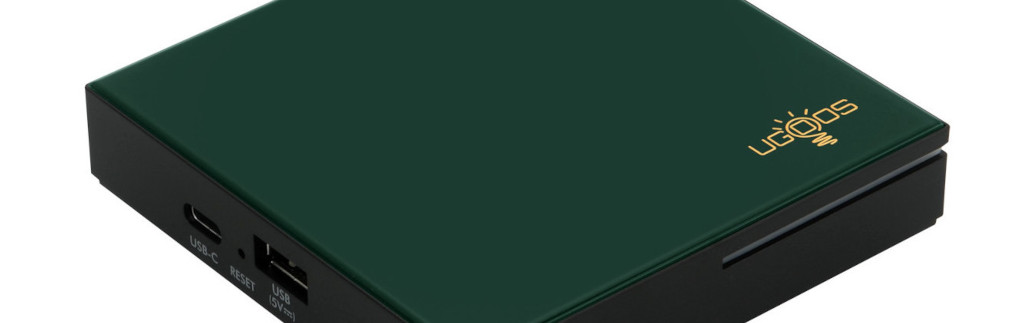
Ugoos SK4 Pro
4K Android Media Player with 4GB RAM. CoreELEC Dolby Vision FEL compatible.
  INCLUDES EXPRESS 2-4 DAY DELIVERY 
This forum was closed in October 2025 in response to sustained DDOS type attacks. It has been left up read-only to allow access to support information and downloads. Thanks to all the users who contributed over the years.

Visit futeko.com for new Audio and Video Media Players!

Author Topic: Firmware 2.0.1 with SPMC  (Read 6190 times)

raverke95

  • Newbie
  • *
  • Posts: 27
Firmware 2.0.1 with SPMC
« on: March 07, 2017, 08:54:34 PM »
Has someone ever tried using SPMC on an HiMedia Q5 pro running Android 7 version 2.0.1? And also using the own Kodi/SPMC mediaplayer? (Wrapper is buggy in 2.0.1 when you synchronise subs)
Does it work fluently with 4K and 1080P movies?

tnx
Gert

tmihai20

  • Senior Member
  • ***
  • Posts: 331
  • Smart devices enthusiast
    • My blog (mostly Romanian)
Re: Firmware 2.0.1 with SPMC
« Reply #1 on: March 08, 2017, 09:21:52 AM »
I am using SPMC on 720p and 1080p movies with the frequency switcher from here without any problems. It can use the wrapper just like Kodi, just long press a movie in the movie list and you will have the option to use the wrapper. I am only using the Wrapper on 3D movies, my TV is 1080p. The Autoframerate Switcher makes all the difference, please install it just like you would in Kodi. Without it there will be constant stutter.

raverke95

  • Newbie
  • *
  • Posts: 27
Re: Firmware 2.0.1 with SPMC
« Reply #2 on: March 08, 2017, 04:54:47 PM »
Just tried what you said. Tried it also on an 1080P tv with a 1080P/24 movie and stutters like hell with the SPMC player.
Followed the installation instructions of the Auto framerate switch path

tmihai20

  • Senior Member
  • ***
  • Posts: 331
  • Smart devices enthusiast
    • My blog (mostly Romanian)
Re: Firmware 2.0.1 with SPMC
« Reply #3 on: March 08, 2017, 07:26:34 PM »
I really am using it like that. Make sure you configure AutoFramerate addon. It used to be like that with SPMC before installing and properly configuring that addon. SPMC should show that it switched to a certain frequency. It made me abandon Kodi 17 until it will properly work with Wrapper. I like that SPMC will remember how much I have seen of a movie and display it in the list.

raverke95

  • Newbie
  • *
  • Posts: 27
Re: Firmware 2.0.1 with SPMC
« Reply #4 on: March 09, 2017, 09:07:02 PM »
This evening I connected the HiMedia to my Sony 4K tv. I setted up the picture settings to 4K resolution and the stutters seems to be lots better.

Problem 2: my receiver is connected by the optical interface and I don't have DTS sound. Not in Kodi 17, not in SPMC. (with DTS movies, I have no sound at all)
Using the wrapper, I have as much DTS as I want.
DTS capable receiver, passtrough, etc. are highlighted in Kodi/SPMC.

How do I solve this?

pcristi

  • Senior Member
  • ***
  • Posts: 1334
Re: Firmware 2.0.1 with SPMC
« Reply #5 on: March 09, 2017, 11:57:52 PM »
Wait for new Android 7 f/w, will see if HiMedia succeed to fix passtrough on SPMC/Kodi with DVDplayer/VideoPlayer.
New SDK  for Android 7 promising a lot of bug fix, but can add new problems too.


Problem 2: my receiver is connected by the optical interface and I don't have DTS sound. Not in Kodi 17, not in SPMC. (with DTS movies, I have no sound at all)
Using the wrapper, I have as much DTS as I want.
DTS capable receiver, passtrough, etc. are highlighted in Kodi/SPMC.

How do I solve this?

raverke95

  • Newbie
  • *
  • Posts: 27
Re: Firmware 2.0.1 with SPMC
« Reply #6 on: March 12, 2017, 10:24:11 AM »
Running Kodi 17 is indeed not a good decision on the Q5Pro, at least not with firmware 2.0.1 .
Watching a movie stored on my NAS gives good results, but maybe because the wrapper is used (otherwise no surround sound). When you use streaming addons, the wrapper doesn't work at all. So I have to use the internal Kodi player and I like it more as the wrapper if it should work well.
But in Kodi 17 everyting stutters, using the autoframerate addon or not. So I installed quickly a few streaming addons in SPMC and it seems to work. I didn't watch a complete movie yet.

If it works, the biggest problem is the lack of DD and DTS support/passtrough in SPMC. Hopefully there will be very fast a firmware-upgrade to solve this problem.


DELIVERY ∙ PAYMENT ∙ WARRANTY+RETURNS ∙ INTERNATIONAL TAX ∙ ABOUT ∙ PRIVACY ∙ NEWS ∙ CONTACT
© SDHDIGITAL LTD 2026
SITEMAP