UK BASED ∙ UK STOCK ∙ ESTABLISHED 2010
2 YEAR WARRANTY ∙ FAST DELIVERY
EXPERT TECHNICAL SUPPORT
13-JUL INSTALL COREELEC ON XIAOMI TV BOX WITHOUT ADB   18-JUN R_VOLUTION FIRMWARE UPDATE 260615_2224_r24   4-JUN INTRODUCING R_VOLUTION  
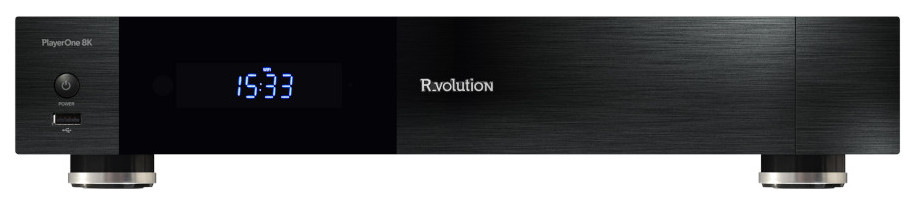
R_volution PlayerOne 8K
Professional 8K Media Player with 3.5" HDD and R_video.
  INCLUDES EXPRESS 2-4 DAY DELIVERY 
This forum was closed in October 2025 in response to sustained DDOS type attacks. It has been left up read-only to allow access to support information and downloads. Thanks to all the users who contributed over the years.

Visit futeko.com for new Audio and Video Media Players!

Author Topic: Multiwindow/multiscreen......is this possible?  (Read 5390 times)

SSThing

  • Senior Member
  • ***
  • Posts: 140
Multiwindow/multiscreen......is this possible?
« on: January 08, 2017, 09:58:30 AM »
Is this possible and what app do you recommend, please?

JayceOoi

  • Newbie
  • *
  • Posts: 41
    • JayceOoi.com
Re: Multiwindow/multiscreen......is this possible?
« Reply #1 on: January 09, 2017, 01:38:53 AM »
Android 7 should support it natively. But I can't make it works too. Do let me know too if is is working for you...

futeko.com

  • Administrator
  • Senior Member
  • *****
  • Posts: 4657
Re: Multiwindow/multiscreen......is this possible?
« Reply #2 on: January 09, 2017, 09:11:56 AM »
Not a feature in current Android 7 firmware. Will probably be added in future version.

SSThing

  • Senior Member
  • ***
  • Posts: 140
Re: Multiwindow/multiscreen......is this possible?
« Reply #3 on: February 09, 2017, 07:38:06 AM »

futeko.com

  • Administrator
  • Senior Member
  • *****
  • Posts: 4657
Re: Multiwindow/multiscreen......is this possible?
« Reply #4 on: February 09, 2017, 09:15:37 AM »
Split screen works on firmware 2.0.1 for apps that support it.

- Open a few apps. e.g. Downloads and HiMedia settings (they will run in split screen).
- Using a mouse drag up from the bottom of screen to get taskbar.
- Press square button on taskbar. You get a vertical scrollable list of open apps.
- Press and hold square button on taskbar, the square button will change to look like a pause icon and the screen will split in two.
- Each side of the screen works independently and can have different apps running. Each side is resizable.
- To exit split screen mode, from split screen press and hold pause icon on taskbar.

Pete_Repeat

  • Newbie
  • *
  • Posts: 46
Re: Multiwindow/multiscreen......is this possible?
« Reply #5 on: February 09, 2017, 07:55:43 PM »
If you search developer mode in settings and scroll to the bottom you'll see a force resize on apps that don't support it.

Kodi will play video and I could even navigate it but the picture loses its aspect ratio.

This was one of the reasons I upgraded to this box for Android 7 windows... Well one reason I hoped it would do anyway. So checked this out on yesterday when it turned up on my doorstep. Firmware 2.0.1

Edit: Have found video plays except. Kodi can't lose focus so you can't browse the net with kodi as the video stops. I guess this is because kodi by default stops video when it loses focus normally anyway.
« Last Edit: February 09, 2017, 07:59:18 PM by Pete_Repeat »

Pete_Repeat

  • Newbie
  • *
  • Posts: 46
Re: Multiwindow/multiscreen......is this possible?
« Reply #6 on: February 09, 2017, 09:28:05 PM »
Further to my post. It appears free-form mode can be activated, rather than split screen, which should mean the aspect ratio can be made right ad they are floating boxes.

Haven't tried this as I'm away from the box now. I also suspect that the video will still stop when kodi loses focus... Although external players will likely work that officially  support the function.

https://www.google.com.au/amp/s/www.xda-developers.com/android-nougats-freeform-window-mode-what-it-is-and-how-developers-can-utilize-it/amp/


DELIVERY ∙ PAYMENT ∙ WARRANTY+RETURNS ∙ INTERNATIONAL TAX ∙ ABOUT ∙ PRIVACY ∙ NEWS ∙ CONTACT
© SDHDIGITAL LTD 2026
SITEMAP