UK BASED ∙ UK STOCK ∙ ESTABLISHED 2010
2 YEAR WARRANTY ∙ FAST DELIVERY
EXPERT TECHNICAL SUPPORT
09-FEB UGOOS AM6B+ BACK IN STOCK   30-JAN ZIDOO 8K FIRMWARE UPDATE 1.3.05   5-JAN ARYLIC LP10 ADDS QOBUZ CONNECT  
This forum was closed in October 2025 in response to sustained DDOS type attacks. It has been left up read-only to allow access to support information and downloads. Thanks to all the users who contributed over the years.

Visit futeko.com for new Audio and Video Media Players!

Author Topic: Unwanted OTA firmware update Popup message  (Read 7894 times)

Mount81

  • Senior Member
  • ***
  • Posts: 1097
Unwanted OTA firmware update Popup message
« on: January 05, 2017, 04:03:47 AM »
Hello!

I'm on 1.0.7 fw, since 1 day I recognized, that the Q10 Pro keeps popping up an update message regarding the 1.0.9 firmware to update.
It does it after boot and it did it while playing a video, like after half an hour. Very lame decision I must say to do this under video playback. It gives 3 option: Update, Cancel and a third that I guess would Ignore it afterwards... ???

What is the reason for this and how it is possible?! Is Himedia able to make changes in the device's software remotely if I'm juts connected to the internet?!
Can you Futeko investigate this phenomenon?!

Thanks for the reply!

beautyseeker7

  • Newbie
  • *
  • Posts: 35
Re: Unwanted OTA firmware update Popup message
« Reply #1 on: January 05, 2017, 08:08:04 AM »
Same here. Shall i leave it to do the upgrade or not ? I don't mind doing it , its easier but is it safe with this procedure ?

futeko.com

  • Administrator
  • Senior Member
  • *****
  • Posts: 4657
Re: Unwanted OTA firmware update Popup message
« Reply #2 on: January 05, 2017, 09:31:29 AM »
HiMedia products can auto-update over the internet (OTA - over the air).

The update process is safe (it's the same as doing a manual update using the firmware on our site - the box will reboot and update).

If you don't ever want to update choose the 'Give up' option.

To update choose 'Download', to get rid of the pop up but have it notify you again choose 'Cancel'.

Poor photo, the left box says 'Download', the middle 'Give up', and the right 'Cancel':


Mount81

  • Senior Member
  • ***
  • Posts: 1097
Re: Unwanted OTA firmware update Popup message
« Reply #3 on: January 05, 2017, 10:35:41 AM »
It's juts strange. I have the Q10 Pro from it's very beginning (from 1.0.3 fw) and there wasn't ever an occasion when such an OTA pop-up would have appeared. More "fun" when it does it suddenly in the middle when playing a movie or so... "Give up" solves the problem, but how does this compare to the experience with the lack of these update messages so far?! It must be, that Himedia can modify the software (firmware) remotely, without any user confirmation, as they implemented this pop-up that wasn't there before... ???
« Last Edit: January 05, 2017, 10:45:03 AM by Mount81 »

tmihai20

  • Senior Member
  • ***
  • Posts: 331
  • Smart devices enthusiast
    • My blog (mostly Romanian)
Re: Unwanted OTA firmware update Popup message
« Reply #4 on: January 05, 2017, 11:54:54 AM »
Well, they may have fixed the OTA server. I got mine with 1.0.5 and I updated manually to 1.0.8 because I knew OTA did not function. The OTA relies on a service that is present on all our devices. HiMedia did not modify anything remotely, they can't do this. It is one of the minuses (sort of speak), that the OTA was not functional. Pressing a button is hardly annoying.
If we don't have OTA, then we ask for it. When we have OTA, then it is an annoyance. Please make up your mind.

Mount81

  • Senior Member
  • ***
  • Posts: 1097
Re: Unwanted OTA firmware update Popup message
« Reply #5 on: January 05, 2017, 12:27:43 PM »
Well, they may have fixed the OTA server. I got mine with 1.0.5 and I updated manually to 1.0.8 because I knew OTA did not function. The OTA relies on a service that is present on all our devices. HiMedia did not modify anything remotely, they can't do this. It is one of the minuses (sort of speak), that the OTA was not functional. Pressing a button is hardly annoying.
If we don't have OTA, then we ask for it. When we have OTA, then it is an annoyance. Please make up your mind.

You say that this "feature" was already programmed and present in the firmware? And there was juts a sever side deficiency that didn't triggered the message so far? I would accept that explanation too, if it would be confirmed officially. I didn't complained about the OTA feature at all, I'm just a bit uncertain and curious about that other fact regarding the unexpected and surprising appearance of the pop-up. Please interpret contextually.
« Last Edit: January 05, 2017, 12:38:47 PM by Mount81 »

tmihai20

  • Senior Member
  • ***
  • Posts: 331
  • Smart devices enthusiast
    • My blog (mostly Romanian)
Re: Unwanted OTA firmware update Popup message
« Reply #6 on: January 05, 2017, 08:30:54 PM »
@Mount81: yes, that would be the explanation. It is a surprise because the service itself did not function. Futeko might know, but he should ask so we know for sure. I am on 2.0.0 firmware and I cannot see whether I get the popup or not. Maybe my Q10 Pro will get it when 2.0.1 is ready. If we get the popup with Nougat firmware, then I would say that my explanation stands.

pcristi

  • Senior Member
  • ***
  • Posts: 1334
Re: Unwanted OTA firmware update Popup message
« Reply #7 on: January 05, 2017, 11:54:14 PM »
OTA update is implemented on HMD-1.0.3 2016-05-23.124800
Test it first time for few days see next topic
http://www.futeko.com/newforum/index.php?topic=711.msg6741#msg6741

Present OTA update have few popup screen before f/w get install
- Manual Upgrade online checking --> this can be cancel by simply press back/home button
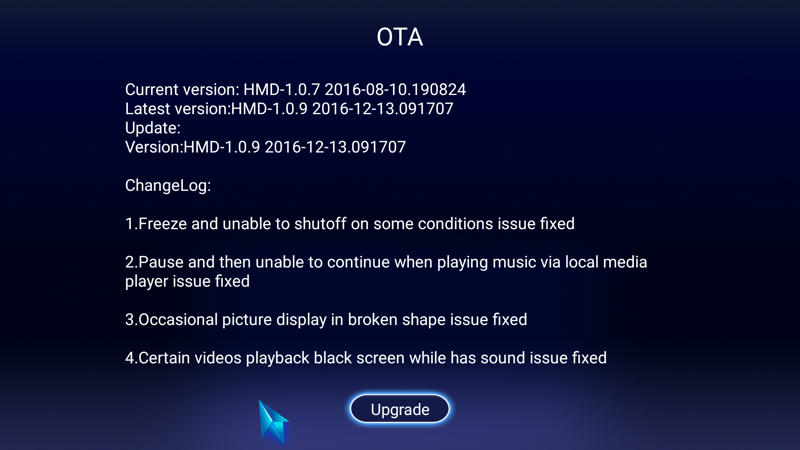

- Automatic online checking --> This have 3 option Download / Give up / Cancel
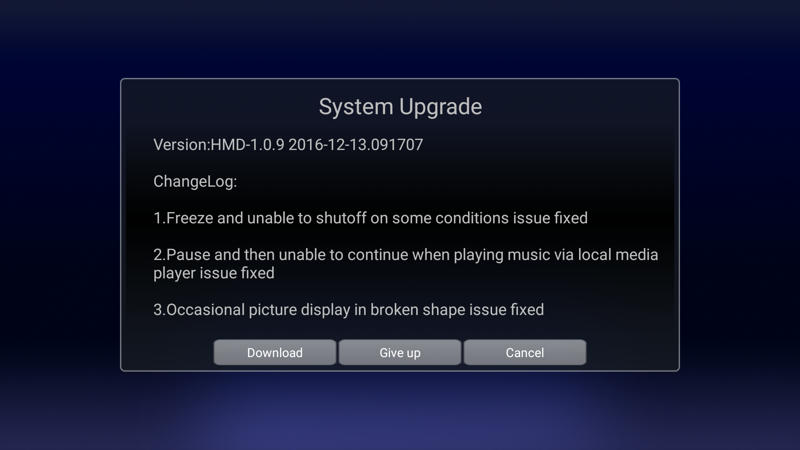
 Cancel --> postponed until next box boot when will popup again
 Give up --> with mean forget it / ignore it
 Download --> proceed to download f/w
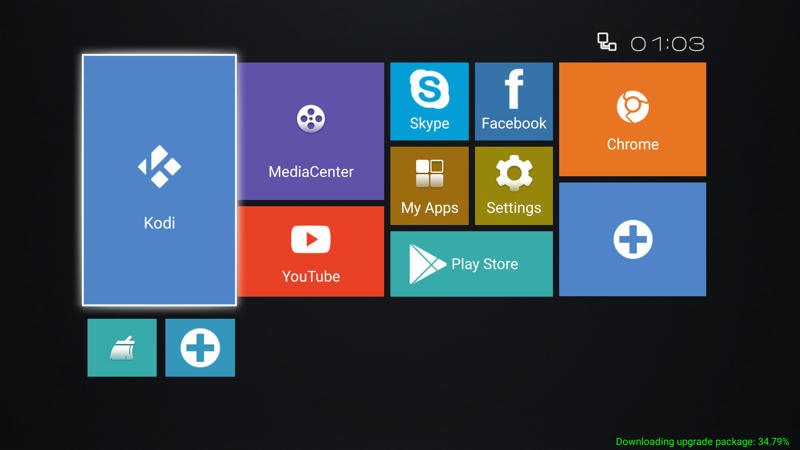
- Download screen look similar to this

- After download complete 100% take a while until md5 is confimed and popup System Upgrade confirmation
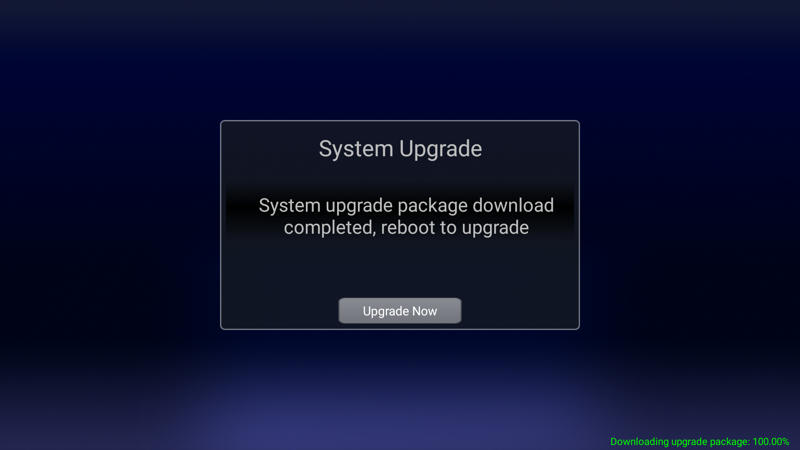

Upgrade Now --> proceed to upgrade and box reboot, in 5 seconds Android Droid will come on screen
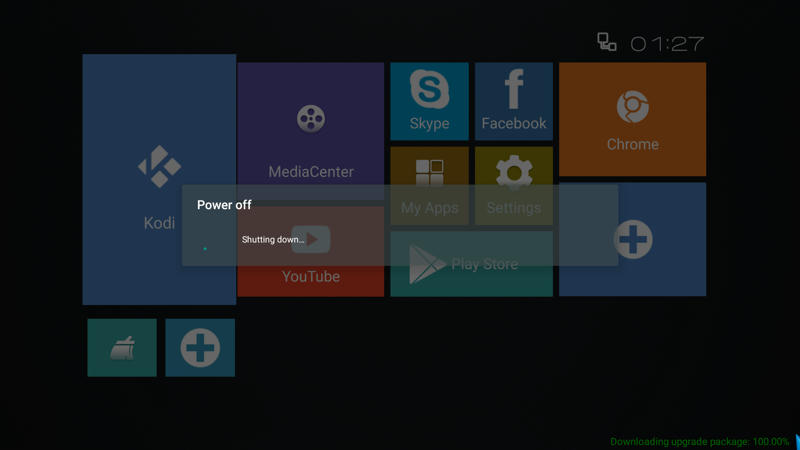

All process can take up to 30 minutes with 10MB ADSL internet connection.
A copy of install f/w can be save it by copy /sdcard/update.zip file after box is boot in normal Android mode.

@Mount81: Not all f/w version is was available on OTA, and some of them just for few days to a week.


 

DELIVERY ∙ PAYMENT ∙ WARRANTY+RETURNS ∙ INTERNATIONAL TAX ∙ ABOUT ∙ PRIVACY ∙ NEWS ∙ CONTACT
© SDHDIGITAL LTD 2026
SITEMAP
