UK BASED ∙ UK STOCK ∙ ESTABLISHED 2010
2 YEAR WARRANTY ∙ FAST DELIVERY
EXPERT TECHNICAL SUPPORT
13-JUL INSTALL COREELEC ON XIAOMI TV BOX WITHOUT ADB   18-JUN R_VOLUTION FIRMWARE UPDATE 260615_2224_r24   4-JUN INTRODUCING R_VOLUTION  
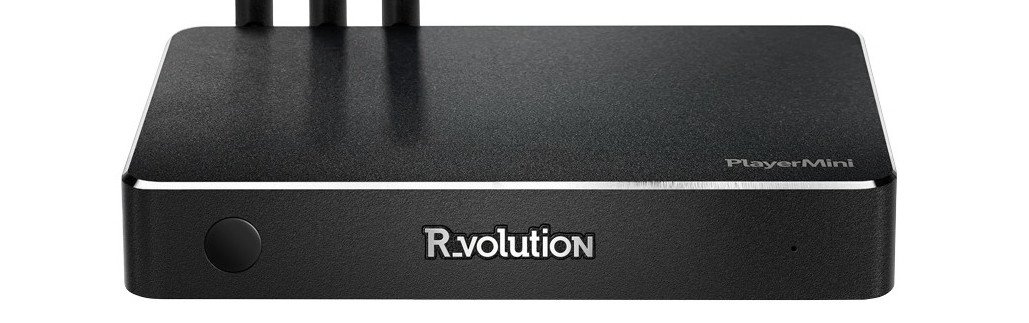
R_volution PlayerMini
4K Media Player with R_video.
  INCLUDES EXPRESS 2-4 DAY DELIVERY 
This forum was closed in October 2025 in response to sustained DDOS type attacks. It has been left up read-only to allow access to support information and downloads. Thanks to all the users who contributed over the years.

Visit futeko.com for new Audio and Video Media Players!

Author Topic: Launcher  (Read 5384 times)

Pete_Repeat

  • Newbie
  • *
  • Posts: 46
Launcher
« on: February 12, 2017, 04:32:01 AM »
I'd be ok using the default launcher but it no  where near customisable enough for me. I can't even work out how to remove buttons I don't want and have removed the app anyway, like Skype.

I would prefer to use squarehome 2 which has far greater customising ability however the box won't let me change the default launcher which is disappointing.

I hope in not stuck with the default himedia launcher without even the ability to remove buttons.

futeko.com

  • Administrator
  • Senior Member
  • *****
  • Posts: 4657
Re: Launcher
« Reply #1 on: February 13, 2017, 10:54:03 AM »
In current Android 7 firmware launcher is fixed.

If you install Android 5.1 firmware alternative launchers can be used.

For Android 7 the inability to install alternative launchers has been reported to HiMedia as a bug. I see no reason why it's like that so hopefully they will change this behaviour in next firmware.

Dmitrylo

  • Newbie
  • *
  • Posts: 2
Re: Launcher
« Reply #2 on: February 13, 2017, 04:23:00 PM »
In current Android 7 firmware launcher is fixed.

If you install Android 5.1 firmware alternative launchers can be used.

For Android 7 the inability to install alternative launchers has been reported to HiMedia as a bug. I see no reason why it's like that so hopefully they will change this behaviour in next firmware.

I don't have this bug - I'm on Nougat and I use Simple TV Launcher.

Pete_Repeat

  • Newbie
  • *
  • Posts: 46
Re: Launcher
« Reply #3 on: February 14, 2017, 09:05:36 PM »
Thanks for the info. Hope the new firmware comes soon then as it'll fix some of my issues I hadn't expected...

As posted in my other forum posts I'm also Still hoping the pass through is fixed with kodi without using wrapper (which crashes for me anyway), being able to see the tasker preference/settings button so I can use tasker,  and all settings to be shown in the nougat settings (such as accessibility etc) so apps don't give errors when they try to direct to the settings menu (managed by manually searching for the setting and changing the setting myself however)

Pete_Repeat

  • Newbie
  • *
  • Posts: 46
Re: Launcher
« Reply #4 on: February 14, 2017, 09:07:33 PM »
In current Android 7 firmware launcher is fixed.

If you install Android 5.1 firmware alternative launchers can be used.

For Android 7 the inability to install alternative launchers has been reported to HiMedia as a bug. I see no reason why it's like that so hopefully they will change this behaviour in next firmware.

I don't have this bug - I'm on Nougat and I use Simple TV Launcher.

I just tried and that launcher won't make itself the default or is it in the list to make default launcher for me. Pressing the home button goes to the himedia launcher, not simple launcher.


DELIVERY ∙ PAYMENT ∙ WARRANTY+RETURNS ∙ INTERNATIONAL TAX ∙ ABOUT ∙ PRIVACY ∙ NEWS ∙ CONTACT
© SDHDIGITAL LTD 2026
SITEMAP