UK BASED ∙ UK STOCK ∙ ESTABLISHED 2010
2 YEAR WARRANTY ∙ FAST DELIVERY
EXPERT TECHNICAL SUPPORT
FUTEKO.COM - DIGITAL MEDIA PLAYER SPECIALISTS SINCE 2010
03-AUG WE ARE CLOSED 7-AUG TO 21-AUG   27-JUL INTRODUCING UGOOS SK4 PRO   13-JUL EASY INSTALL COREELEC WITHOUT USING ADB   18-JUN R_VOLUTION FIRMWARE UPDATE 260615_2224_r24  
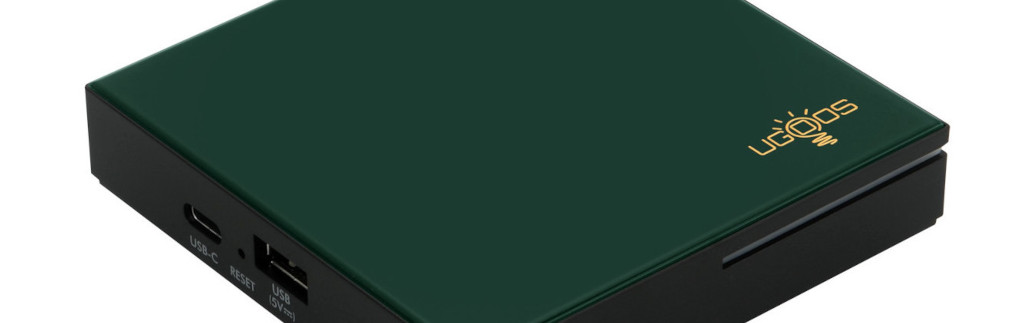
Ugoos SK4 Pro
4K Android Media Player with 4GB RAM. CoreELEC Dolby Vision FEL compatible.
  INCLUDES EXPRESS 2-4 DAY DELIVERY 
This forum was closed in October 2025 in response to sustained DDOS type attacks. It has been left up read-only to allow access to support information and downloads. Thanks to all the users who contributed over the years.

Visit futeko.com for new Audio and Video Media Players!

Author Topic: Date and time not working  (Read 5041 times)

chrisfunkdoc

  • Newbie
  • *
  • Posts: 12
Date and time not working
« on: January 12, 2017, 06:07:35 PM »
I have intermittently been getting an fault since purchasing it, where the date and time do not update from the network, usually a restart sorts it, but last night I updated to android 7 and today it won't even work after a restart. I think having to manually enter date and time each time I use the box a bit annoying. Does anyone else have this issue? I have a Q10 Pro

chrisfunkdoc

  • Newbie
  • *
  • Posts: 12
Re: Date and time not working
« Reply #1 on: January 12, 2017, 06:12:42 PM »
OK, so after restarting 3 times the date and time updated, but I would really like for this to not happen at all, any suggestions Futeko? Also I am now getting the first run help popup everytime I start Kodi, any suggestions how to get rid of this?
Thanks

drabisan

  • Full Member
  • **
  • Posts: 51
Re: Date and time not working
« Reply #2 on: January 12, 2017, 06:29:38 PM »
When I received my unit it looked like it will never get the right time. Changing timezone from China to my timezone solved the problem for me.

maelor

  • Senior Member
  • ***
  • Posts: 324
Re: Date and time not working
« Reply #3 on: January 12, 2017, 07:10:49 PM »
I agree with drabisan. My box was setup for China on arrival too.

To change (on Kodi 17):
Open Kodi
Click on the Cog icon for System
Click on Interface Settings
Click on Regional
Click on Region default format and set as appropriate

chrisfunkdoc

  • Newbie
  • *
  • Posts: 12
Re: Date and time not working
« Reply #4 on: January 12, 2017, 09:02:20 PM »
I've had the box for 6 months or so and I still get the issue from time to time, the box doesn't pick up the date and time, so android and Kodi both have the wrong time, I've changed the time zone to GMT and have it set to automatically get the time from the network.


DELIVERY ∙ PAYMENT ∙ WARRANTY+RETURNS ∙ INTERNATIONAL TAX ∙ ABOUT ∙ PRIVACY ∙ NEWS ∙ CONTACT
© SDHDIGITAL LTD 2026
SITEMAP