How to install Magisk - The Magic Mask for Android on Q5Pro/Q10Pro/Q30 Android 7.0 MagiskMagisk manager
All credits go to author
topjohnwuPlease do not quote the entire post.0.
Backup, backup, backup all your data.1. HiMedia Q Series box running OFW/CFW/ATV v2.1.x.
2. Download Magisk Manager on your Android device from
here.3. Download corresponding update_patched_boot_Magisk_v(...)_Q(...)_v(...)_[1.x].zip from
here.4. Rename update_patched_boot_Magisk_v(...)_Q(...)_v(...)_[1.x].zip to update.zip
5. Copy update.zip to USB flash root and apply as Local Upgrade(Settings/Upgrade/Local Upgrade/...)
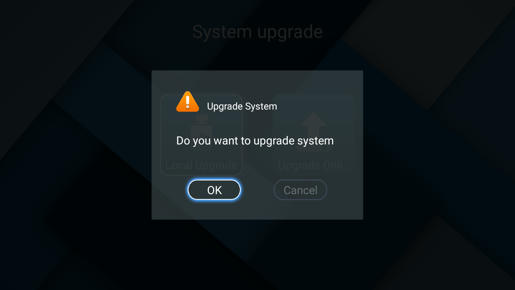
6. Install Magisk Manager get at point 2.
7. Open Magisk Manager and finish setup
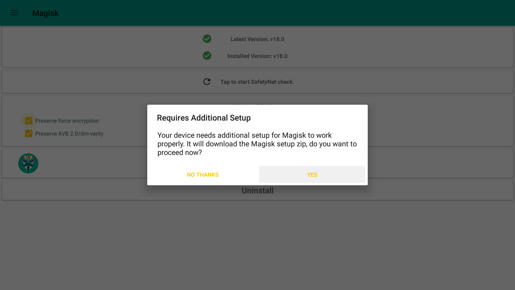
8. Enjoy testing Magisk Manager, Superuser, modules.
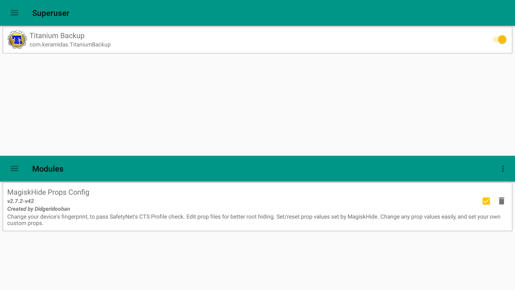
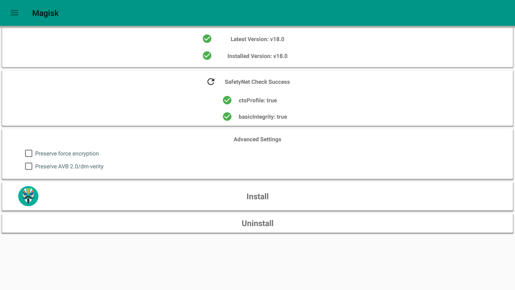 Note:
Note: - Some application maybe become unstable.
-
Magisk on CFW ATV are not supported yet. Fixed request last CFW ATV from
here.Uninstall:1. Completed uninstall from Magisk Manager.
2. Flash with paper clip file renamed as update.zip at point 4 or do dirty install with FW running on your box.
Please share tips & trick with Magisk usefully for HiMedia Q Series box.
Use at your own risk!Mediafire yearly bill need to paid sooner, If you appreciate my work, you might want to buy me



 INCLUDES EXPRESS 2-4 DAY DELIVERY