Using the procedure posted by looun in this forum (http://www.futeko.com/newforum/index.php?topic=3717.0), I created the procedure "Egreat A5 Remote Control Patch v1.1.21".
Whit this new procedure you can choose one of four templates valid for this remote:
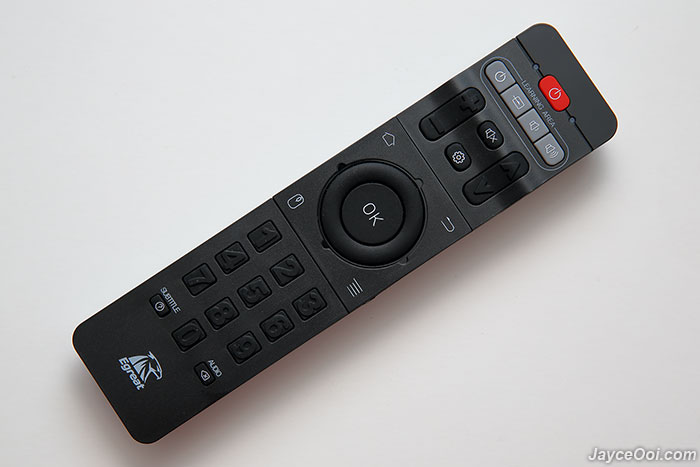
and this remote:

TEMPLATE 1
------------------
Key 1 = Rewind at 2x to 32x
Key 2 = Play/Pause
Key 3 = Forward at 2x to 32x
Key 4 = Previous Chapter
Key 5 = Stop
Key 6 = Next Chapter
Key 7 = Info
Key 8 = Top Menu
Key 9 = Pop Menu
Key 0 = Mute
TEMPLATE 2
------------------
Key 1 = Rewind at 2x to 32x
Key 2 = Forward at 2x to 32x
Key 3 = Play/Pause
Key 4 = Previous Chapter
Key 5 = Next Chapter
Key 6 = Stop
Key 7 = Top Menu
Key 8 = Pop Men
Key 9 = Info
Key 0 = Mute
TEMPLATE 3
------------------
Key 1 = Play/Pause
Key 2 = Rewind at 2x to 32x
Key 3 = Forward at 2x to 32x
Key 4 = Stop
Key 5 = Previous Chapter
Key 6 = Next Chapter
Key 7 = Info
Key 8 = Top Menu
Key 9 = Pop Men
Key 0 = Mute
TEMPLATE 4
------------------
Key 1 = Info
Key 2 = Pop Menu
Key 3 = Top Menu
Key 4 = Rewind at 2x to 32x
Key 5 = Play/Pause
Key 6 = Forward at 2x to 32x
Key 7 = Previous Chapter
Key 8 = Stop
Key 9 = Next Chapter
Key 0 = Mute
Requires:
- Windows PC to run the batch file at command prompt;
- Egreat A5 connected to same network as PC and the IP address of the Egreat A5 (see in the Settings -> General -> Wi-Fi or Settings -> General -> Ethernet).
Instructions:
- download file ZIP
- unzip
- duble click run_me.bat
- insert IP address of Egreat A5
- digit 1 or 2 or 3 or 4 for select template
- press enter
- Egreat A5 automatically reboot and it's ready
I tested this patch on Windows 10 and Windows 7 using Egreat A5 with firmware 1.3.0.3
Download the patch:
https://mega.nz/#!4lMyhQwB!LZmKdK1H39oJUhmdHzl9zXW3lfVszTRM-HFmVDpCA_k
 Topic: Egreat A5 Remote Control Patch 1.1.21 - Instructions (Read 5073 times)
